
One Click, Four Layers: What Actually Happens When You Visit a Website
You type a URL, hit enter, and a page appears. It feels like one action, but between your keystroke and the rendered page, your computer runs a relay race through a surprising number of protocols. I recently finished the networking module of TryHackMe's Cyber Security 101 path — four rooms that take you from "what is an IP address" to decrypting your own HTTPS traffic. This post is the whole journey compressed into one story: the life of a single request.
Step 0: You need an address before you can ask for anything
Before your browser can talk to any website, your machine needs to belong to a network. When you connected to Wi-Fi, DHCP (Dynamic Host Configuration Protocol) quietly handed you an identity. It's a four-step dance called DORA: the client Discovers (a broadcast from 0.0.0.0 to 255.255.255.255 — literally "anyone, help"), the server Offers an IP address plus gateway and DNS settings, the client Requests it, and the server Acknowledges. Four packets, and you exist on the network.
Step 1: Finding the server
You typed a name, not an address — so DNS translates. Your machine asks a DNS server (usually over UDP port 53) for the A record of the domain — the record that maps a hostname to an IPv4 address. (There's a whole zoo of records: AAAA for IPv6, MX for mail servers, CNAME for aliasing one domain to another.)
But DNS only gives you the destination IP. On your local network, delivery happens by MAC address — so ARP shouts across the room: "who has 192.168.66.1?" The right device answers with its MAC, and your frames finally have a target.
Step 2: The packet leaves home
Your request now becomes a packet. Your router performs NAT (Network Address Translation), replacing your private IP with its public one — that's how billions of devices share four billion IPv4 addresses. Then comes routing: your packet hops router to router, each one decrementing the TTL field, until it reaches the destination network. Protocols like OSPF and BGP are how those routers learned the paths in the first place.
Step 3: The conversation
At the destination, your browser opens a TCP connection (three-way handshake) to port 443 and then speaks HTTP — a plain-text protocol of requests like GET / HTTP/1.1. One of the most eye-opening things I learned is that HTTP is so simple you can speak it by hand: telnet into a web server on port 80 and type the request yourself. Same for FTP, SMTP, POP3, IMAP — all of them are just text conversations you can have directly.
And that's exactly the problem.
Step 4: The problem with plain text
Every protocol I've described so far sends everything in the clear. If someone captures your traffic:
Confidentiality is gone — they read your password off the wire
Integrity is gone — a ₹100 payment can become ₹800 mid-flight
Authenticity is gone — nothing proves you're talking to the real server, not an impostor
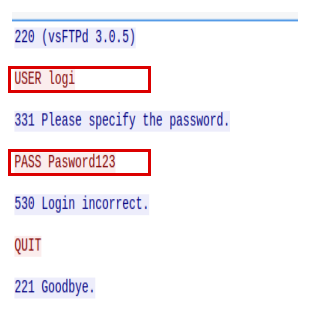
An FTP login captured in Wireshark. The username and password are readable straight off the wire.
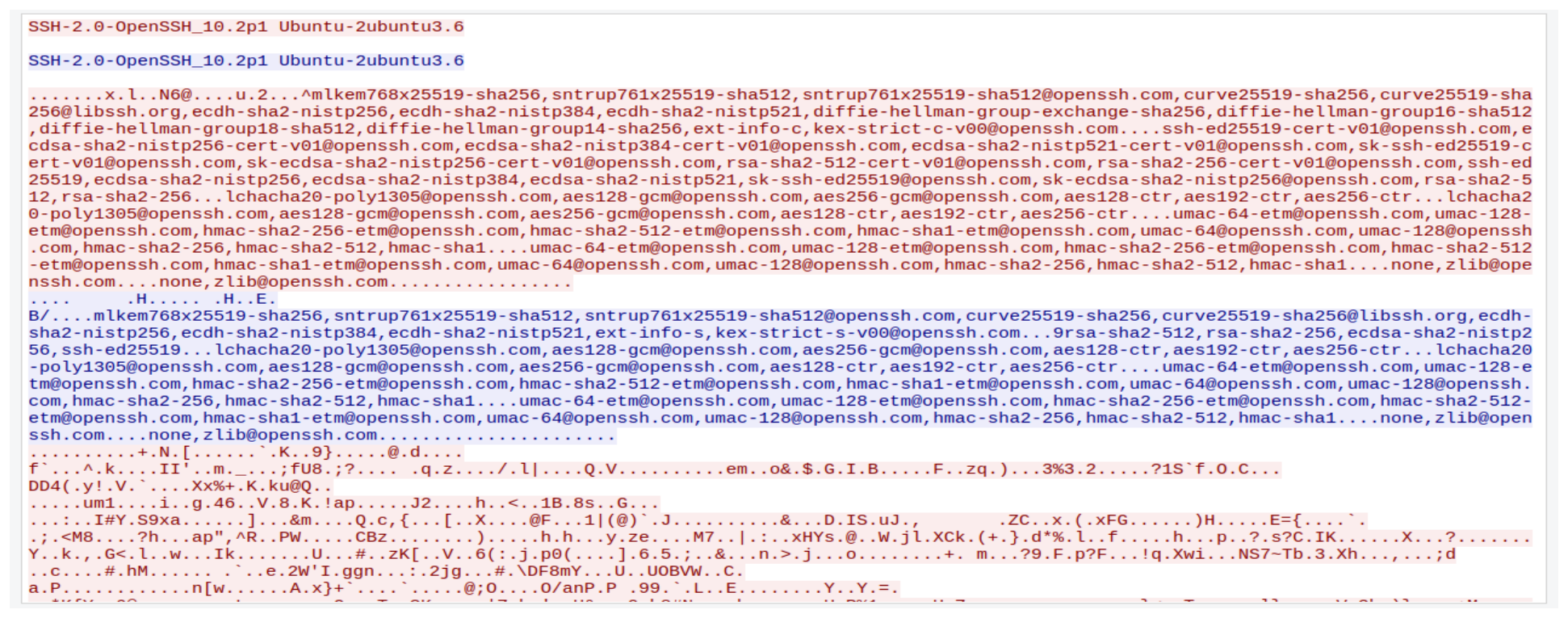
The same kind of session over SSH — now the payload is an unreadable blob.
The fix, historically, came in layers:
TLS (which upgraded the older SSL) wraps existing protocols in encryption and uses certificates from trusted authorities to prove server identity. HTTP becomes HTTPS, SMTP becomes SMTPS, POP3 and IMAP get their S too.
SSH replaced Telnet for remote access (port 22), and it's so extensible that file transfer (SFTP) and even GUI applications (X11 forwarding) ride inside it.
VPNs tunnel entire network connections through untrusted networks.
The demo that made it real for me
Here's the experiment that turned all this theory into belief. In the TryHackMe room, I captured HTTPS traffic in Wireshark — total gibberish.
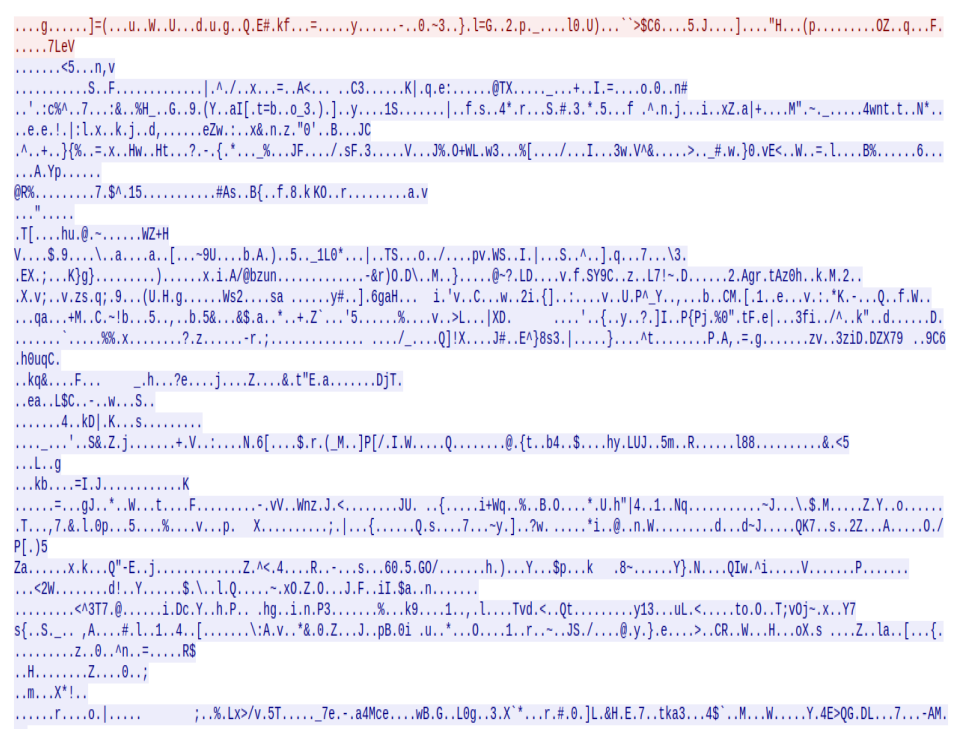
The HTTPS capture without the key log — total gibberish.
Then I launched the browser with --ssl-key-log-file=~/ssl-key.log, fed that key file to Wireshark, and suddenly the same capture showed plain HTTP requests, readable login credentials and all. Encryption isn't magic; it's just very careful key management — and if you hold the keys, you can read it. That's also why the same trick does nothing against someone else's traffic.
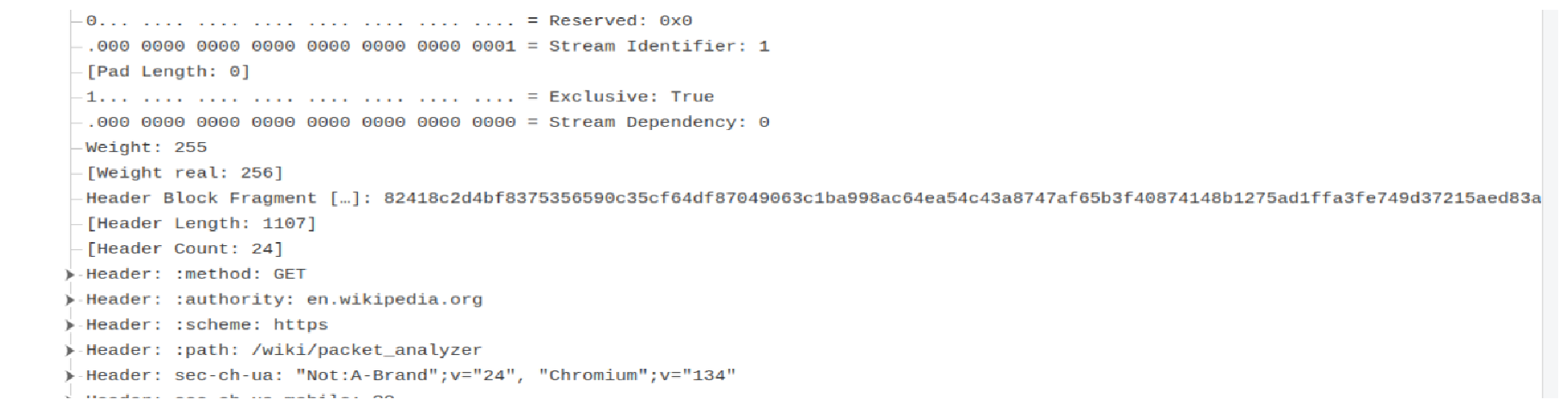
with the key log loaded, Wireshark shows the "encrypted" session as readable HTTP/2 requests.
If you want to see this for yourself, I wrote up the whole lab — four captures and a step-by-step report: github.com/hemantsharma-cell/cleartext-vs-encrypted-lab
Why any of this matters
Every attack technique in cybersecurity sits on top of this stack. ARP can be spoofed. DHCP can be rogue. Capturing cleartext protocols is trivial. TLS misconfigurations are a real vulnerability class. You can't defend or attack a network you don't understand at this level.
Which protocol surprised you most when you first learned how it actually worked? For me it was the lone dot that ends an SMTP message tell me yours in the comments.
About the author
- Cybersecurity enthusiast and B.Tech Computer Science student specializing in Security Operations (SOC), threat hunting, and endpoint analysis. Experienced in building automated IR triage scripts with PowerShell, analyzing network traffic with Snort/Splunk, and analyzing persistence mechanisms. Passionate about blue team operations, threat detection, and continuous hands-on learning through CTFs and labs.
Comments
Join the discussionNo comments yet. Be the first to comment.